Screenshots
About
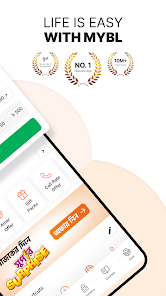
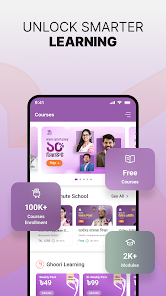
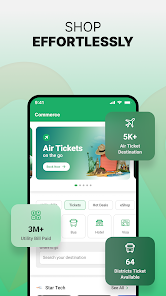
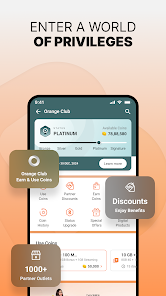
Banglalink (MyBL Super App) is the official self-service application from Banglalink Digital Communications Limited for managing your Banglalink mobile connection in Bangladesh. With one tap you can check balance, recharge, buy internet/minute/SMS/mixed bundles, claim exclusive Amar Offer deals, take emergency balance, manage FNF numbers, view usage history and access app-only promotions. The Super App also brings digital lifestyle services — entertainment, music, online courses, doctor consultations, utility bill payment, ticketing, sports training (Khelbei), home services via SHEBA.xyz and a community section with quizzes and spin wheel to earn coins. Login is fast and password-free using OTP, and basic features work even with low data.
Key Features
Quick Recharge & Balance Check
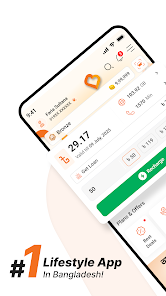
One-tap recharge from the home screen and instant view of main balance, internet, minutes, SMS and validity.
Buy Bundles & Amar Offer
Purchase internet, minute, SMS and mixed packs, plus personalized Amar Offers at exclusive app-only prices.
Emergency Balance & Loan
Take emergency balance or internet loan instantly when you run out, directly from the app.
Digital Services Hub
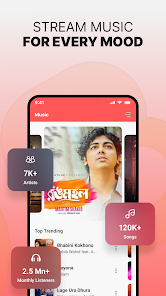
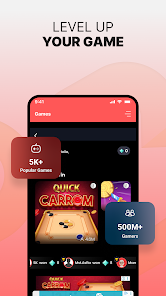
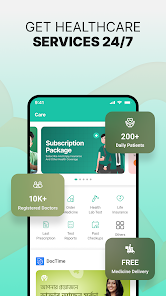
Stream music and radio, play games, take online courses, consult doctors, pay utility bills and book travel tickets in one place.
BL WiFi Management
Order Banglalink home WiFi, run automatic network assessment for your area and manage devices from the new BL WiFi section.
OTP Login & Low-Data Mode
No need to remember a password — log in via OTP. Core features remain usable even on a weak connection.
Roaming Made Easy
Seamless guided international roaming with transparent charging details for travelers.
Rewards & Community
Earn coins by joining quizzes, spin-the-wheel and missions, and redeem them for bonuses.
All Versions
Automatic network assessment for new BL WiFi orders. Performance improvements and bug fixes.
Khelbei sports training launch, SHEBA.xyz home services in Commerce, smarter pop-ups and faster digital services.
Refreshed UI, one-tap Quick Recharge on home screen, improved offers and new BL WiFi section.
Installation & Updates
How to Install
- Open the Google Play Store on your Android phone and search for 'MyBL' or 'Banglalink'.
- Tap Install on the official app published by Banglalink (developer: Banglalink Digital Communications Limited).
- If you prefer the APK, download it only from the trusted APKMirror link above and enable 'Install unknown apps' for your browser when prompted.
- Open the app, select your language and tap 'Login with OTP'.
- Enter your Banglalink number, type the OTP sent via SMS and grant the requested permissions.
- You are in — start exploring offers, recharge and digital services.
How to Update
- Open Google Play Store and tap your profile icon at the top right.
- Choose 'Manage apps & device' and open the 'Updates available' list.
- Find MyBL (My Banglalink) and tap 'Update'. To stay current automatically, enable 'Auto-update' from the app's Play Store page.
- If you installed via APK, simply download the latest APK from APKMirror and tap it to install over the existing version — your data is preserved.
How to Use
After signing in with OTP, the home screen shows your balance, validity and a Quick Recharge button — tap it to top up using bKash, Nagad, Rocket or a credit/debit card. Use the 'Buy Bundles' tile to filter by Internet, Minute, SMS or Mixed packs and tap any offer to see full terms before purchase. The 'Amar Offer' card highlights personalized discounts. Open the Digital Services tab to access music, games, online courses, doctor consultation, utility bill payment, ticketing and BL WiFi. Visit 'My Profile' to manage FNF numbers, see usage history, view USSD codes and switch language between English and Bangla. You can earn coins from the Community section and redeem them for bonus internet or discounts.